Online album for your
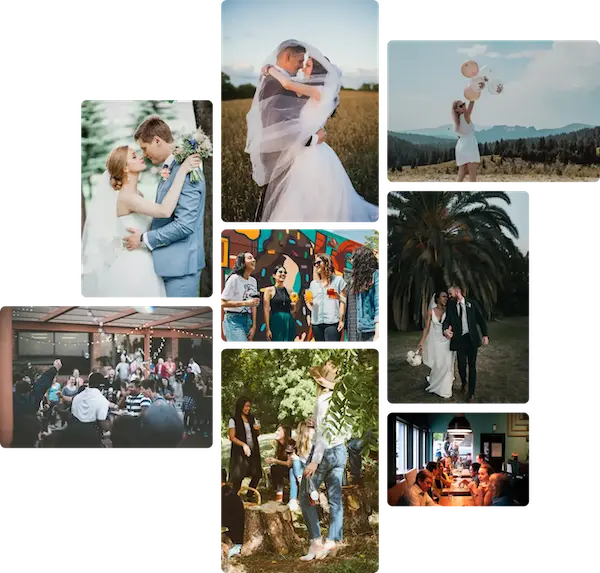
Easily collect all your photos and videos into a beautiful digital album, instantly shareable as a live slideshow—no app required, no fuss.
Get started for free

How it works
Gather and share memorable photos and videos with your guests in a beautiful digital album—quick to set up, effortless to share!
-
1
Create your event
Create a private digital album for guests to add photos, videos, and messages. Customize the title, date, colors, and backgrounds to make it your own!
-
2
Share your album with your guests
With a quick scan of the unique QR code or a simple click on the album link, your guests can view and add photos and videos—capturing memories before, during, and after your event!
-
3
Relive every captured moment
At any time, you can browse through all the photos and videos your guests have shared in your digital album—reliving and treasuring every unforgettable moment!
Effortless for any occasion
Gather and share memorable photos and videos with your guests in a beautiful digital album—quick to set up, effortless to share!
Guest memories captured
See your event from your guests' perspective by gathering all their photos and videos!
Your memories, secure & private
All photos and videos are safely stored in the EU, fully compliant with GDPR for your privacy and data protection.
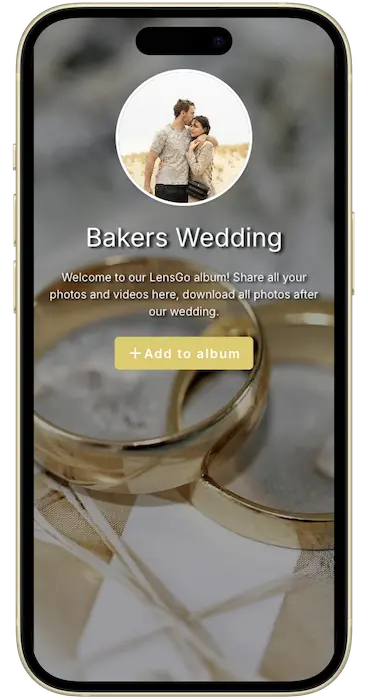
Relive every moment
Captures the best moments from your event in a live slideshow, making memories instantly shareable.
Hassle-free, guest-friendly
Your guests can easily upload their photos and videos—no sign-ups, no downloads, just pure sharing magic!
Frequently Asked Questions
Have questions? We've got answers. If you can't find what you're looking for, feel free to contact us.
Which plan should I choose?
The best plan for you depends on the size of your event and how many photos you expect to collect.
- For small gatherings (10-20 guests): The Free plan may be enough, though it comes with some limitations.
- For medium-sized events (up to 100 guests): If you expect no more than 500 photos, the Plus plan is a great choice.
- For large events (150+ guests): If you're expecting a high volume of photos, the Pro plan is your best bet. It removes upload limits and unlocks extra features to enhance your event experience.
Be sure to check the features of each plan. With the Pro plan you'll have access to ALL features.
What do I need to make LensGo work?
After setup, just scan the QR code displayed on the Photo Slideshow using your phone camera or QR app to upload new photos or videos, or to browse the existing ones in the digital album.
The digital album is also a straightforward web link that you can share with your guests to gather photos directly. Sharing it is easy—simply send it via email, WhatsApp, SMS, or any other platform like any regular link.
Is an app required for me or my guests to use LensGo?
Can I set up (or purchase) an event ahead of time?
The platform automatically detects when your event begins, based on the event date and guest activity (when there are more than 30 uploads), so there’s no need to worry!
Feel free to edit, adjust, or test uploads for your event—nothing will be triggered or affected.
When does an event become active?
The platform automatically detects when your event begins, based on the event date and guest activity (when there are more than 30 uploads), so there’s no need to worry!
Feel free to edit, adjust, or test uploads for your event—nothing will be triggered or affected.
What if someone uploads inappropriate content?
I'm an event organizer / do many events - any plan for me?
"This app made collecting wedding photos a breeze! Guests simply scanned a QR code to upload pictures—no apps or sign-ups required. Plus, knowing our memories are securely stored in the EU 🇪🇺 was a big plus. Highly recommend!"